
How to add vision LLMs in Layla (Qwen3-VL)
- Layla

- Nov 24, 2025
- 1 min read
This article shows you how to add vision LLMs to Layla.
Layla supports vision LLMs so you can send images and chat for her to recognise and chat.
Let's take Qwen3-VL family models as an example. These models come with image recognition capabilities that work well on mobile!
Here's how you can use them in Layla:
Step 1: Download the Qwen3 VL models. You can find them here: https://huggingface.co/unsloth/Qwen3-VL-2B-Instruct-GGUF/tree/main
I recommend the 2B model. It works fast, and is pretty accurate. If you have a good phone, you can try the larger 4B or 8B models!
In the list of files on the page, choose the "Q4_K_M" quant and download it.

Scroll down a bit and find the "mmproj-F16" file:

Download that as well.
Step 2: Go back to Layla and go to Inference Settings. In the LLM section, choose "Add Custom Model", then "Pick from Internal Storage"
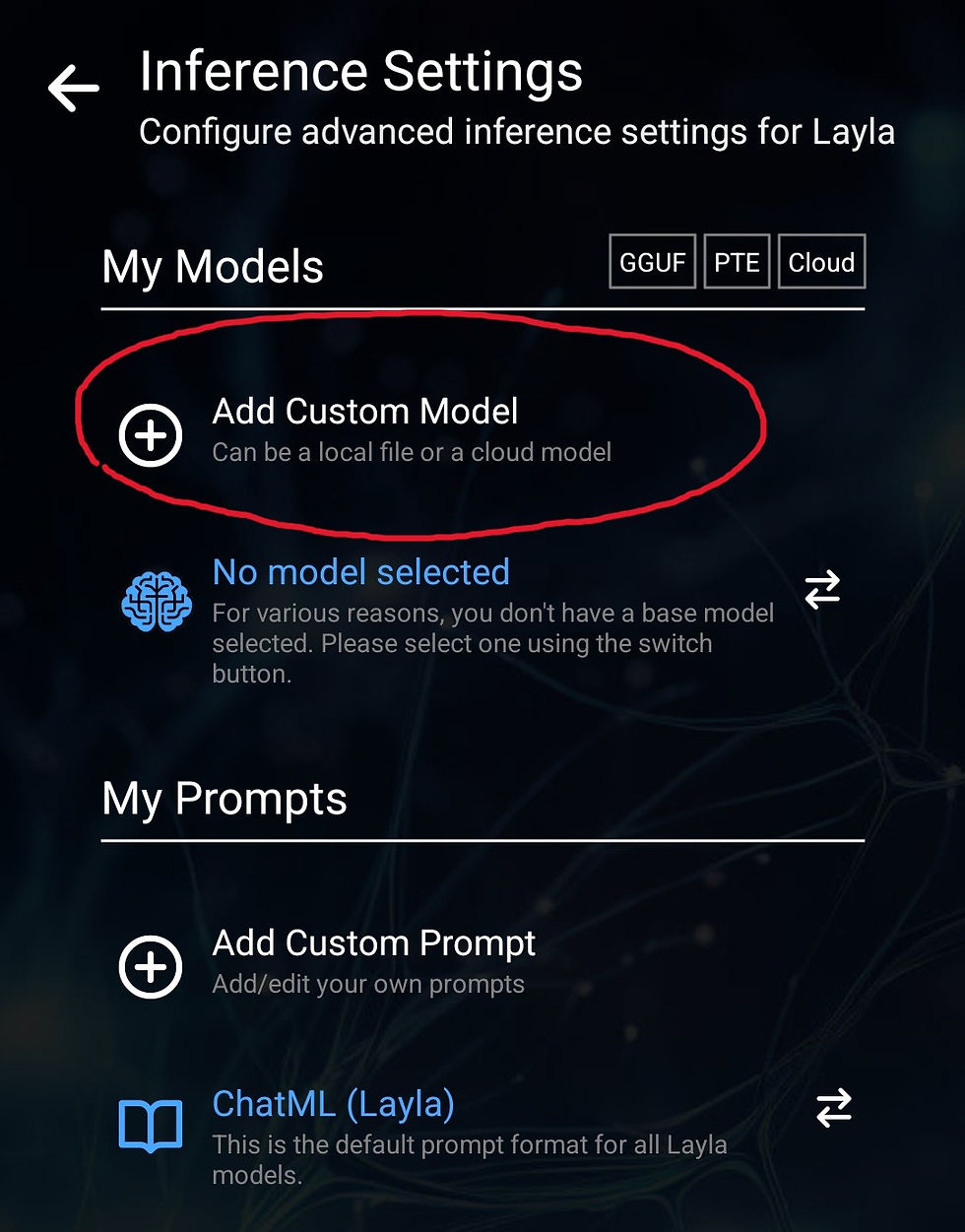

You settings should look like this afterwards, note the "Q4_K_M" suffix in your selected model:

Next, go to LLM Vision section and select your "mmproj" file; your settings should look like this:

With these settings, you can send images in chat and Layla will recognise them!


This did not work.