top of page

How to import SD1.5 Safetensor models from Civit.ai into Layla

Layla supports safetensor models for image generation. Most image generation safetensor files can be found on civitai.com


This tutorial will walk you though importing safetensor files from civitai.com into Layla.


Step 1: Go to civitai.com


Website interface showing anime images with filter options highlighted. Features "2 for 1 Generations Extended" event banner.

Go to civitai.com and go to the Models section. In the filters at the top right corner, filter by Model Type, select checkpoint, in File format, select SafeTensor, and in the Base Model section, select SD 1.5


This will give you a list of all image models supported by Layla.


Step 2: Download the safetensor file


Two images: Left shows a woman with headphones in a pink top, smiling indoors. Right displays a woman in a blue dress with a castle backdrop.

Download the safetensor file from the download page. Make sure the file size is around 2GB. That will let you know the file is formatted correctly.


Step 3: Import into Layla

Go to Settings -> Inference Settings


Scroll down to Image Generation settings. And Add Custom Model
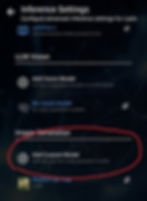
Screen displaying inference settings with options to add vision models. Text includes "Gemma 4," "Add Custom Model," and "Realism By Yogi."
Interface screen displaying options for image generation models; "Pick a Local Model" in blue and "SD Web UI" with a pink logo.

Select the safetensor file you just downloaded. Layla will begin to import the file
A loading screen with "Importing Safetensor file" text. Background shows two images: berries and a house with a car. Dark interface.
Dialog box with "Choose an image generation model" text. Options: blue "Pick a Local Model" with a file icon, and "SD Web UI" with a magenta logo.

Step 4: Generate!

After your image model is imported, go to the Local Dream mini-app and use it to generate an image!
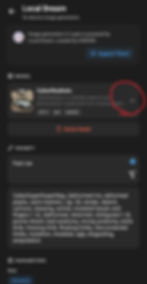
App interface for "Local Dream" image generation showing model selection, a prompt for "Fast car," and various parameters. Dark theme.
Mobile app screen for Local Dream image generation. Model options: anime, space theme, ramen, cartoon girl. "Select Model" and search bar visible.

Email

Location

Gold Coast, Australia

SUBSCRIBE

Sign up to receive news and updates from Layla

Thanks for submitting!

© 2026 by Layla Network

  • Discord
  • Youtube
  • TikTok
  • X
  • Facebook
bottom of page